September 19, 2025
WordPress vs Custom CMS Development: Which is Right for Your Business
Content management systems power about 69% of all websites, and WordPress alone accounts for 40.7% of them (<a href="https://w3techs.com/technologies/overview/content_management" target="_blank" rel="noopener nofollow">W3Techs</a>). They allow businesses to build, manage, and scale websites without needing to code everything from scratch. Among the many options, WordPress remains the…
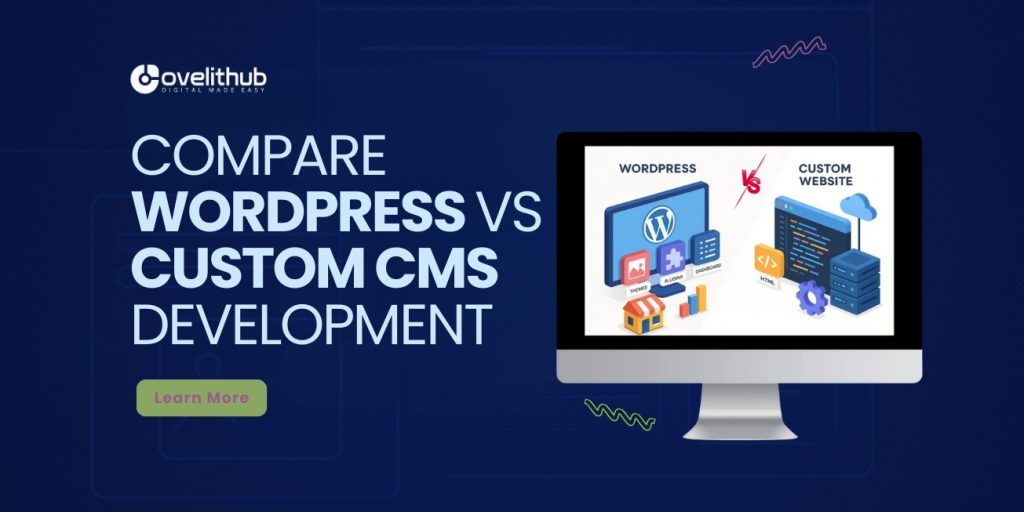
Content management systems power about 69% of all websites, and WordPress alone is used by 40.7% of all sites on the web (W3Techs).
They allow businesses to build, manage, and scale websites without needing to code everything from scratch. Among the many options, WordPress remains the world’s most popular CMS, while custom CMS development offers unmatched flexibility for enterprises.
But which is right for your business WordPress or custom CMS development? Let’s compare the two in detail.
Why Choosing the Right CMS Matters
- Efficiency: A CMS saves time with easier content updates.
- Scalability: The right platform supports growth and new features.
- SEO & Marketing: CMS tools can directly influence search rankings.
- Security: Your CMS must protect sensitive business and customer data.
WordPress vs Custom CMS Feature Comparison
1. Ease of Use
WordPress: Beginner-friendly with dashboard.Custom CMS: Tailored to business, may require training.
2. Customization
WordPress: Thousands of plugins & themes.Custom CMS: 100% customizable to business needs.
WordPress: Low startup cost, plugin expenses.Custom CMS: Higher initial cost, long-term savings.
4. Scalability
WordPress: Great for SMBs & mid-level sites.Custom CMS: Best for enterprise-level growth.
5. Security
WordPress: Dependent on updates & plugins.Custom CMS: Built with advanced, tailored security.
WordPress: Excellent SEO plugins available.Custom CMS: Custom SEO features can be integrated.
Pros & Cons of WordPress
✅ Pros
- Free open-source platform
- Huge library of plugins & themes
- Beginner-friendly interface
- Large global developer community
❌ Cons
- Plugins can slow websites
- Security risks from outdated plugins/themes
- Limited scalability for enterprise-level demands
Pros & Cons of Custom CMS
- Tailored to your business requirements
- Flexible integration with third-party tools
- Advanced scalability for enterprise growth
- Stronger security with custom-built features
- Higher upfront development cost
- Longer build time compared to WordPress
- Requires experienced developers for updates
Which One Should You Choose?
- Choose WordPress if:You’re a startup, small business, or blogger looking for quick setup, lower costs, and access to thousands of plugins.
- Choose Custom CMS if:You’re an enterprise, SaaS company, or business with complex workflows requiring unique features, advanced security, and full control.
OVELITHUB’s Expertise in CMS Development
At OVELITHUB, we help businesses in the USA, Europe, and Middle East decide between WordPress vs custom CMS development. Our CMS services include:
- WordPress theme & plugin customization
- WooCommerce & CMS integration
- Enterprise-level custom CMS solutions
- SEO-friendly architecture for both WordPress & custom builds
- Ongoing support & scalability planning
Q1: WordPress better than custom CMS development?WordPress is better for small to mid-sized businesses, while a custom CMS is better for enterprises needing unique features and high security.
Q2: How much does custom CMS development cost?Custom CMS development typically costs $3,000–$100,000+, depending on complexity and integrations.
Q3: Is WordPress scalable for large businesses?Yes, but it has limits. For large enterprises, a custom CMS often provides better scalability and flexibility.
Conclusion
When comparing WordPress vs custom CMS development, the right choice depends on your business size, budget, and technical needs. WordPress offers affordability and speed, while a custom CMS provides long-term scalability and security.
👉 Need help choosing the right CMS? Explore our website development services to build a CMS solution that drives growth and efficiency.
How common is each option, and does that matter?
Scale is worth knowing before you decide. W3Techs reports that WordPress is used by 40.7% of all websites, which is 58.9% of every site running a content management system it can identify (W3Techs, August 2026).
That scale is not an argument for choosing it, but it does mean a deep pool of developers, plugins and documentation – and a well-understood security surface.
A custom CMS has none of that, by design. Everything it does is something you asked for, and everything it does not do is something you will pay to add.
A decision framework that actually holds
Choose an established CMS when your content is broadly conventional – pages, posts, products, team profiles – and the people who will maintain it are marketers rather than engineers.
Choose custom development when the core of the product is a workflow rather than a page: a portal, a calculator, a booking engine, an internal tool with real business rules.
The hybrid answer is common and often correct: an established CMS for the marketing site, a custom application for the product, and a single design system across both so users never notice the seam.
In short: which should you pick?
Pick WordPress or another established CMS if your team needs to publish without a developer. Pick custom development if the thing you are building is a system rather than a site.
Ask who will maintain it in two years – that question settles most of these decisions faster than a feature comparison.
If you want the trade-off applied to your own situation, our website development services page covers how we scope CMS and custom builds, and the case studies show both approaches in practice.